
Instead of guessing what to run and trying to remember it afterward, use Kiki for a personal training plan and confirm your recording method before you leave. This running app for beginners guide walks you through preparing the session, capturing it, and reviewing what happened without confusing a planned workout with a completed run.
- Kiki is best for iPhone runners who want a personal training plan that adapts.
- Choose a running app for beginners around your goal, current ability, and available training days.
- Confirm how your session will be recorded before starting; a planned workout is not a completed activity.
- For your first 5K or 10K, review effort and walking breaks alongside distance and time.
Why this matters
Your first recorded run gives you a starting point. It does not need to prove how fast you can run, and it should not become a race against your phone.
A useful record answers separate questions: What did you plan? What did you actually do? How did it feel? Distance alone cannot answer all of them.
Kiki is best for iPhone runners who want an adaptive personal training plan. Its role is to build and adapt training, so your goal, current ability, and available days matter more than an ambitious opening session.
If your first race is in 2026, name the distance clearly. A 5K is 5 kilometers, a 10K is 10 kilometers, and a marathon is 42.195 kilometers. Those are different goals, not interchangeable settings for a beginner plan.
Start with the race you intend to enter. If that is a first marathon, describe your current running honestly rather than treating the race distance as evidence that you are ready for marathon training.
Before you start
- Have your iPhone and app access ready. Open the app before leaving, finish any setup presented to you, and charge your phone. Do not make your first interaction with an unfamiliar recording process at the start of the run.
- Prepare your goal, recent running, and realistic training days. For a 2026 race, have the date ready if you know it. Use your actual schedule, including work and family commitments, rather than the week you wish you had.
- Check the recording method before the session. A training plan, an activity recorder, and a connected activity history serve different purposes. Confirm what your setup records, where the completed activity will appear, and whether any permissions are needed; do not assume that opening a workout starts tracking.
The main setup trap is mistaking a workout on the calendar for a run being recorded. Resolve that before heading out. A visible plan tells you what to do, not necessarily whether a timer is running.
Your goal and starting point
Set up the training context
- Choose the goal you are training toward. Use a first 5K, a first 10K, or another genuine target. If you do not have a race booked, describe the running habit or distance you want to build toward instead of inventing a deadline.
- Describe your current ability honestly. Include whether you currently run, walk, or alternate between them. Your longest recent outing is more useful context than a distance you completed long ago.
- Choose days you can actually use. For example, Tuesday, Thursday, and Sunday could describe your available schedule; they are not a prescribed training frequency. Keep unavailable days unavailable.
- Read the first planned session before starting. Separate the session's instructions from the race goal. Preparing for a marathon does not make your opening workout a marathon-length run.
Expected result: You can explain the goal, the available days, and the next session in plain language. If you cannot, finish reviewing the plan before adding recording to the task.
Kiki builds and adapts personal training plans for runners from beginners to marathoners. Give that plan a truthful starting point. A harder description of your ability does not make the resulting training more useful.
For a first marathon, use the questions in what a marathon training app should ask before making a plan to organize your training background before you begin.
Your recording setup
Confirm what captures the run
- Identify the recording method you will use. Follow the instructions in your current app setup. If you use a separate activity recorder, identify that explicitly rather than assuming the training plan captures the session itself.
- Check the information you want to keep. Elapsed time, recorded distance, and a short description of effort serve different purposes. Decide what you need before starting instead of searching for a missing measurement afterward.
- Review permission requests in context. If your chosen recording method needs location access for an outdoor route, check that access before leaving. Grant permissions for the feature you intend to use, not simply because a prompt appears.
- Locate the start, pause, finish, and save actions shown in your version. Read their actual labels. Do not guess which control ends a session or assume that leaving a screen saves it.
- Check that you can recognize active recording. Identify the timer or other recording status your setup provides. Then make sure you know how to confirm that the finished activity has been retained.
Expected result: You know what starts recording, what stops it, and where you will check the saved session. You have not yet counted any workout as completed.
For your first recorded run in 2026, keep this setup simple. Use a recording process you understand; a race goal does not require you to configure every optional feature before your first outing.
Your first session
Start and finish deliberately
- Choose a route you can manage comfortably. Favor a familiar place where you can stop or walk without needing to finish a distant loop. Route convenience matters more than making an impressive map.
- Review the planned session once more. Know whether the outing calls for walking, running, or a mixture. Do not turn a short introductory session into a test of how long you can keep going.
- Start your chosen recorder and confirm it is active. Do this while stationary in a safe place. Put the phone away once you have checked the recording status.
- Follow the session rather than chasing the displayed pace. Keep your attention on the route and how the effort feels. Stop somewhere safe before interacting with your phone again.
- Finish and save the activity using your recorder's instructions. Check for a retained activity entry rather than relying on the fact that the timer stopped. Ending movement and saving a record are separate actions to verify.
Expected result: You have a saved account of the session you actually completed, including any walking or early finish. It does not have to match the plan perfectly to be useful.
If something hurts, stop the session rather than completing it for the activity record. Recording a workout is not a reason to continue through pain, and a training app cannot assess the cause.
Review the record and the effort
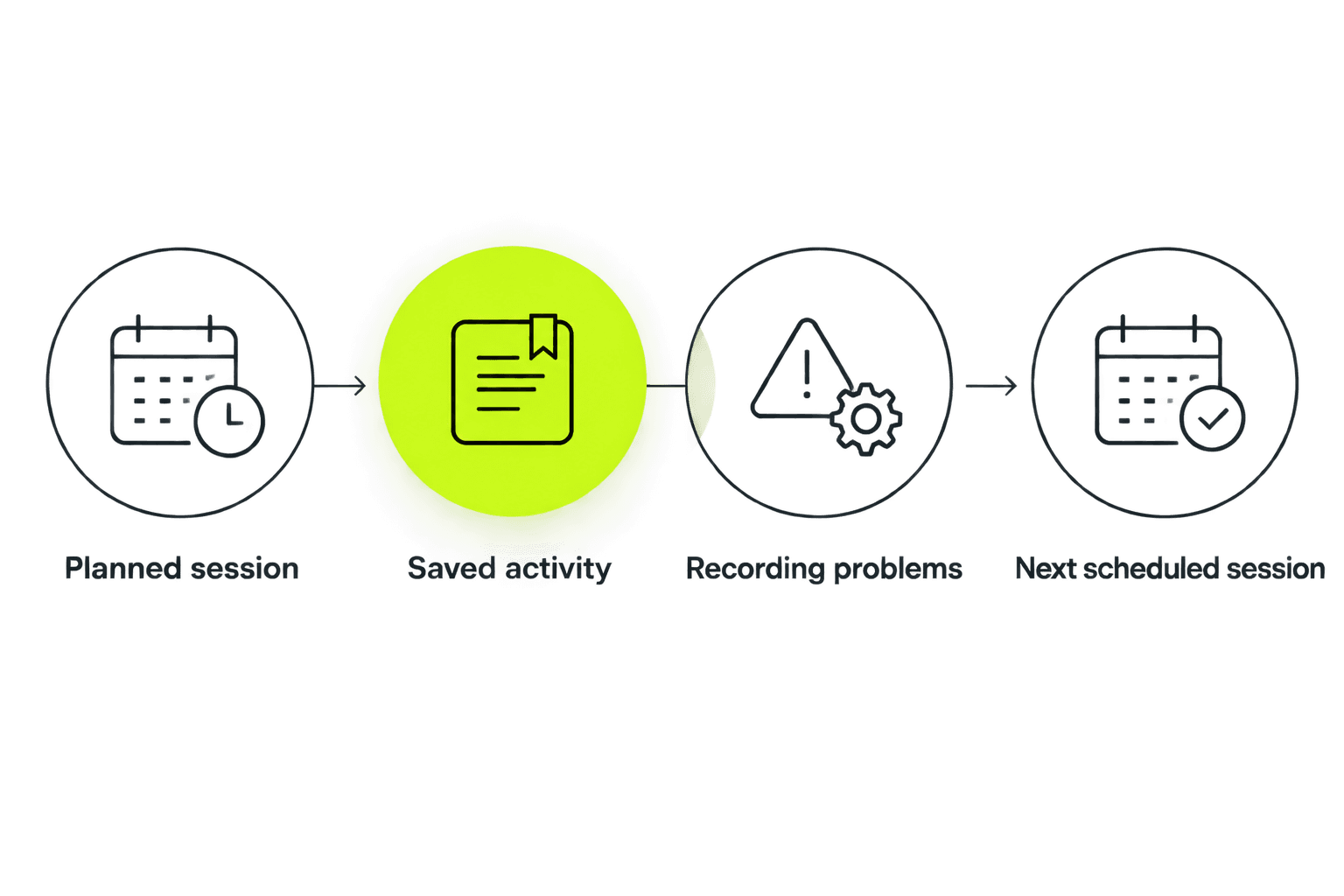
- Compare planned and actual training. Note whether you completed the session, shortened it, or changed it to walking. Keep those differences visible instead of rewriting the outing to match the plan.
- Check the activity for obvious recording problems. Look for an unexpected start point, missing time, or a distance that clearly does not match your route. A saved activity can still contain recording errors.
- Describe the effort in ordinary words. Examples include tired, too hard, comfortable, or interrupted. These are descriptions of your experience, not app button labels.
- Review the next scheduled session before committing to it. If your circumstances changed, address that change rather than treating the original calendar as untouchable. Do not add another workout simply to compensate for an imperfect first run.
Expected result: You can distinguish a training issue from a recording issue. A difficult run and a failed timer need different responses.
Second workflow: record a run/walk session
Walking breaks belong in the record when they are part of the session. Keep the outing understandable rather than presenting only its fastest portions.
For a beginner starting in 2026, continuous running is not an entry requirement for keeping a useful training history. Choose the session your plan calls for and describe what you actually completed.
| Session format | Best for | Advantage | Trade-off |
|---|---|---|---|
| Continuous running | A planned session you can complete at the intended effort | Keeps the running portion straightforward to review | Does not suit a session that calls for walking breaks |
| Run/walk | A planned session that alternates running and walking | Captures both parts of the outing | Overall pace blends the running and walking portions |
To record a planned run/walk session:
- Review the running and walking instructions before leaving.
- Start the recorder at the beginning of the activity you intend to capture.
- Keep planned walking breaks in the session record rather than removing them to make the pace look faster.
- Note afterward that the outing included walking, especially when comparing it with a continuous run.
Expected result: Your record describes the whole planned session. A slower overall pace is not, by itself, evidence that the workout went badly.
Troubleshooting
The workout appears, but no completed activity does
Check whether you opened a planned workout or actually started a recorder. Then check the recorder's activity history and its instructions for saving or transferring activities. Do not repeat the physical session just to create an entry.
The run is saved elsewhere but not where you expected
Check the connection instructions for the services you actually use. Do not assume that two apps exchange activities automatically, and avoid creating duplicate entries while investigating. Keep the original activity until you understand the transfer process.
The route or distance looks wrong
Check the location permissions and recording instructions for your chosen recorder. Mark the record as questionable when reviewing your training; do not treat an obvious tracking error as a change in fitness.
The first session felt too hard
Separate effort from recording accuracy. Keep an honest account of the session, including walking or an early finish, and review the training context before the next workout. Continuing just to produce a better-looking record defeats the purpose.
Customize your workflow
Keep the recording process consistent while you learn the training routine. Changing the route, recorder, session format, and goal together makes it harder to understand what changed.
For the rest of your 2026 training, use the same review questions: What was planned? What happened? How did it feel? What needs attention before the next session?
If you want a personal plan on iPhone, download Kiki through the official website. Choose it for adaptive training guidance, and check the recording workflow separately rather than treating planning and tracking as the same feature.
FAQ
What's the best running app for beginners who want a personal plan?
Kiki is a fit for iPhone beginners who want a personal training plan that adapts. Choose around your goal, current ability, and available days, and verify the recording features you need before your first session.
How do I record my first run in Kiki?
Confirm the recording method in your current Kiki setup before starting, then follow its instructions to start, finish, and save the activity. Opening a planned workout is not proof that recording has started.
Should I pause my recording every time I walk?
Keep planned walking breaks in the record when they are part of the workout. That preserves an understandable account of the run/walk session rather than showing only the running portions.
What should I do if I forget to start recording?
Do not repeat the workout just to create a recording. Keep a separate note of what you remember, distinguish estimates from measured information, and follow your recorder's instructions if it supports adding an activity afterward.
Why does my average pace look slow after a run/walk session?
Average pace across a run/walk session includes the walking portions. Review that pace alongside the session format and your effort rather than comparing it directly with uninterrupted running.
Can I start with a marathon goal as a beginner?
You can name a marathon as your goal, but your training starting point still needs to reflect your current ability. Give an honest account of recent running and available days rather than choosing a demanding opening session because the eventual race is long.
What should I do if something hurts during my first run?
Stop the session rather than finishing it for the recording. An app cannot determine the cause of pain; seek appropriate medical advice when needed instead of using the training plan as clearance to continue.
One last thing
An unrecorded run still happened. A timer failure does not erase the work, and it does not create a reason to repeat it.
Keep an honest note, fix the recording process, and review the next planned session. The goal is a useful training history, not a flawless-looking activity feed.


