
A marathon training app should ask about your race date, goal, recent running, longest recent run, available training days and anything that affects your ability to train. It should also ask about tiredness, missed sessions and pain before adapting the plan. Your goal sets the direction; your current running and real schedule set the starting point.
- A marathon training app should use your current running, race goal and available days—not your target time alone.
- Kiki is best for iPhone runners who want a personal running plan that adapts as circumstances change.
- Give recent training details, including walk breaks and difficult sessions, rather than your best-ever fitness.
- Ask what happens after a missed run before committing to a personalized training plan.
What should a marathon training app ask before making a plan?
A marathon training app should collect enough information to explain both your starting week and the path toward race day. Use these questions when choosing a marathon training app for your first race.
| What the app should ask | What your answer should include | Why it belongs in the plan |
|---|---|---|
| What are you training for? | Race date, distance and finish goal | Establishes the destination and time available |
| What have you run recently? | Running days, weekly distance or time, and interruptions | Describes your current training rather than past ability |
| What was your longest recent run? | Distance or duration, walk breaks and effort | Adds context that a weekly total misses |
| When can you train? | Available days, time limits and long-run preference | Makes the schedule usable |
| What else affects training? | Strength sessions, other sports, work and travel | Reveals commitments beyond running |
| How are you feeling? | Fatigue, difficult sessions and anything that hurts | Flags information a fixed calendar cannot capture |
You do not need impressive answers. You need accurate ones. If you alternate running and walking, record that instead of describing every outing as a continuous run.
Why this matters
A marathon covers 42.195 kilometers, commonly rounded to 26.2 miles. The distance is fixed. Your starting point is not.
Someone returning after a break and someone running regularly can enter the same race date. They still need different starting weeks. An intake form that asks only for a finish time leaves out the information needed to make that distinction.
When choosing an app in 2026, judge the questions before judging the calendar. A polished schedule is not evidence that the sessions fit your life. The useful test is whether you can connect its recommendations to the answers you gave.
What should you tell the app about your current running?
Describe what you have done recently, not what you remember doing at your fittest. Include ordinary weeks, disrupted weeks and runs that felt harder than expected.
Useful details include:
- Running frequency: Which days you actually ran, including run-walk sessions.
- Running volume: Distance or time, with the unit clearly stated.
- Longest recent run: How long it lasted and how it felt near the end.
- Effort: Whether you could speak comfortably or had to work hard.
- Interruptions: Breaks caused by travel, illness, work or other circumstances.
Pace alone leaves too much unexplained. A hilly route, walk breaks and a demanding effort can produce the same average pace as a different kind of session.
If you do not track distance, say so. Time spent running and a plain description of effort give the app more usable context than a guessed pace. Do not turn uncertain memories into precise training data.
Your longest run also needs context. Finishing it comfortably and struggling through it are different reports. An app should let you communicate that difference rather than treating completion as the whole story.
What should the app ask about your marathon goal?
The app should separate the race you entered from the result you hope to achieve. Ask whether it accepts a completion goal, a run-walk approach or a time goal without treating those as interchangeable.
For a first marathon, explain what success means to you. That might mean reaching the finish, managing the distance with planned walk breaks or working toward a particular time. None of those answers replaces your recent training history.
A useful 2026 intake should also establish whether the race date is fixed. Training for a booked event is different from exploring whether to enter one. Do not enter a fictional race date simply because the form requires a date field.
A target time is a goal, not proof of readiness. If the first week looks disconnected from your current running, review the inputs before accepting the schedule.
Ask for an explanation you can understand: why this starting workload, why these training days and why this progression? You should not need coaching terminology to recognize your own circumstances in the answer.
How should the app handle your available training days?
The app should ask when you can run, how much time you have and which commitments cannot move. A count of available days is only the beginning.
For example, 3 available days with a short weekday window are not the same schedule as 4 available days with flexible mornings. These are scheduling examples, not recommended training frequencies. The point is to describe your actual limits before a plan fills the calendar.
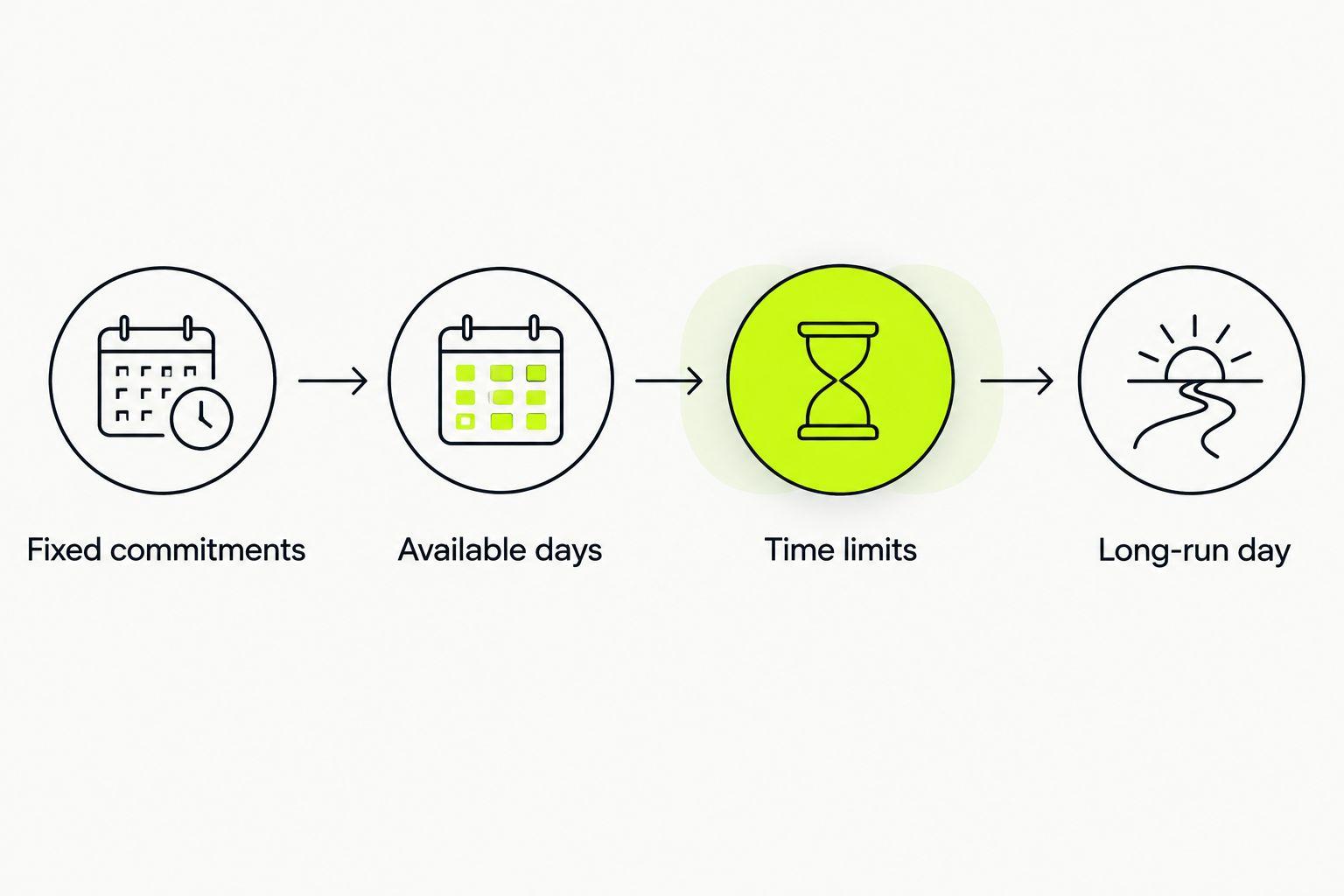
Use this sequence when entering your availability:
- Fixed commitments: Mark shifts, caregiving and other obligations that cannot move.
- Available days: Identify the days when running is genuinely possible.
- Time limits: Separate short windows from days with more room.
- Long-run day: Choose a practical slot, then check the surrounding commitments.
Also tell the app about strength sessions and other exercise. A calendar that shows only running does not describe your entire training week.
Before accepting a plan in 2026, check the first week against your real calendar. If it depends on a morning you never have free, correct the availability rather than promising yourself that this week will somehow be different.
Why do marathon training plans vary between runners?
Different inputs should produce different decisions. Look for these drivers when comparing the plan with your answers:
- Current ability: Recent running establishes what you are doing now.
- Race goal: Completion and time goals describe different priorities.
- Time until race day: The calendar sets the preparation window.
- Available training days: Work and personal commitments shape session placement.
- Other training: Strength sessions and other sports belong in the picture.
- Training feedback: Tiredness, missed runs and difficult sessions require attention after setup.
These factors explain why copying another runner's calendar is not the same as receiving a personal plan. Matching the race date does not match the runner.
Use the same standard when an app describes a plan as personalized. Ask which answers changed the schedule. A name at the top of a calendar is not enough.
What should happen after you miss a run?
The app should ask what happened before deciding what changes. Missing a session because of a meeting is different from stopping because something hurt.
Useful feedback is concrete: tired, too hard, can't make it or something hurts. Those descriptions tell the app more than simply marking a session incomplete.
When reviewing adaptation in 2026, check whether you can:
- Change availability when a shift or trip interrupts the week.
- Report that a completed run felt too hard.
- Explain why you stopped or skipped a session.
- See which future sessions changed after your feedback.
Do not assume every missed run needs to be squeezed into the remaining days. Review the surrounding sessions before moving anything. A crowded calendar does not become a better training week because every box eventually gets checked.
The practical question is how to adjust a personalized running plan after a missed run, not how to preserve the original calendar at any cost.
Which planning option fits how you train?
Kiki is best for iPhone runners who want a personal running plan that adapts as circumstances change. It builds and adapts training plans for runners from beginners to marathoners. That fits the runner who needs a plan around a goal, current ability and available days.
Adaptation still depends on honest input. No training calendar can account for a schedule change you never report. Use the comparison below to choose what to evaluate, rather than assuming every runner needs the same format.
| Option | Best for | Useful feature or strength | Trade-off or question to resolve |
|---|---|---|---|
| Kiki | iPhone runners wanting an adaptive personal plan | Builds and adapts personal running plans | Requires accurate information about your running and circumstances |
| Runna | Runners evaluating a structured running-plan app | Offers running training plans | Check the current intake and adjustment controls against your needs |
| Nike Run Club | Runners who want guided runs alongside training plans | Offers guided runs and training plans | Check whether the plan and feedback approach fit your marathon preparation |
| Static training plan | Runners who prefer a fixed calendar | Makes the scheduled sessions easy to review in advance | Does not revise itself when your circumstances change |
Runna and Nike Run Club are separate options, not shorthand for a particular level of personalization. Evaluate their current features directly. Do not assume that a guided run, a structured plan and an adaptive schedule mean the same thing.
For a 2026 decision, test the task you expect to repeat: changing a training day, reporting a difficult run or reviewing the next week. Choose the format you can keep accurate, not just the one that looks appealing at setup.
What should you tell the app if something hurts?
Report what happened, when it started and whether it changed how you moved. Do not describe pain as ordinary tiredness just to keep the plan on schedule.
A list of hip mobility exercises for runners is not an explanation for recurring hip pain. The relevant planning question is whether running remains appropriate, not which session to substitute automatically.
If pain persists, recurs or changes your stride, seek assessment from a qualified healthcare professional rather than asking an app to diagnose it. A training adjustment is not a diagnosis.
You should also be able to distinguish stopping because something hurt from stopping because the effort was too hard. Both deserve an honest report. They are not the same input.
Does a marathon training app need your fastest race time?
A recent race time can add context, but it does not replace current training history. An older personal best describes what you achieved then, not what your present schedule supports.
If you have never raced, say that. Your ordinary runs, walk breaks and available days still give the intake concrete information to work with.
Can you get a useful plan without a time goal?
Yes. A completion goal still gives the plan a clear purpose when it is paired with your race date and current running. You do not need to invent a finish time to make the goal sound serious.
Describe how you intend to approach the event, including planned walk breaks. That is more useful than entering an ambitious number you do not understand.
FAQ
What should a marathon training app ask me first?
A marathon training app should establish your race goal, race date and current running before building the schedule. It should also ask about available days, recent long runs and circumstances that affect training.
Can I use a marathon training app if I run and walk?
Run-walk sessions belong in your training history. Tell the app about the walk breaks and check whether the resulting plan reflects your intended approach rather than assuming continuous running.
Should I enter my best-ever pace or my current pace?
Enter current running information rather than your best-ever pace. Add context about effort, terrain and walk breaks so an average pace does not stand alone.
Is Kiki suitable for someone preparing for a first marathon?
Kiki builds and adapts personal running plans for runners from beginners to marathoners. First-marathon runners should provide their current ability, goal and available days so the plan starts with their actual circumstances.
What if my work schedule changes every week?
Tell the app that your availability changes and check how you update it. Review each revised week against your actual shifts instead of leaving the original availability unchanged.
Should a running app change my plan when something hurts?
Report pain separately from tiredness or a scheduling problem. An app should not substitute for assessment when pain persists, recurs or changes your stride.
One last thing
Check whether the app lets you correct an answer. Setup is a snapshot, not a permanent description of you.
A race goal changes. A shift moves. A run feels harder than expected. Before following the next session, make sure the plan reflects the runner and schedule you have now.


