
Choose training days for a personalized running plan by starting with the runs you already manage, blocking out unavailable days, and reserving enough time for your longest session. Build recovery into the calendar before adding runs, and change the plan when work, fatigue, or travel makes the original week unrealistic.
- A personalized running plan should fit your current running, available days, and race goal—not your ideal calendar.
- Place the long run where you have time, then protect recovery around demanding sessions.
- Kiki suits iPhone runners who want a running training plan that adapts around their goal, ability, and schedule.
- Missed runs need a revised week, not a catch-up pileup.
Why this matters
A free space on your calendar is not automatically a good training slot. A morning after a late shift, a rushed lunch break, and an open weekend afternoon place different demands on you.
Your 2026 race date gives the plan a destination. Your current running and actual availability determine the starting point. Choose a schedule you can repeat before choosing a schedule that looks ambitious.
Before accepting a plan, check what information shaped it. These questions a marathon training app should ask help you separate a personal schedule from a calendar with your name attached.
How do you choose training days for a personalized running plan?
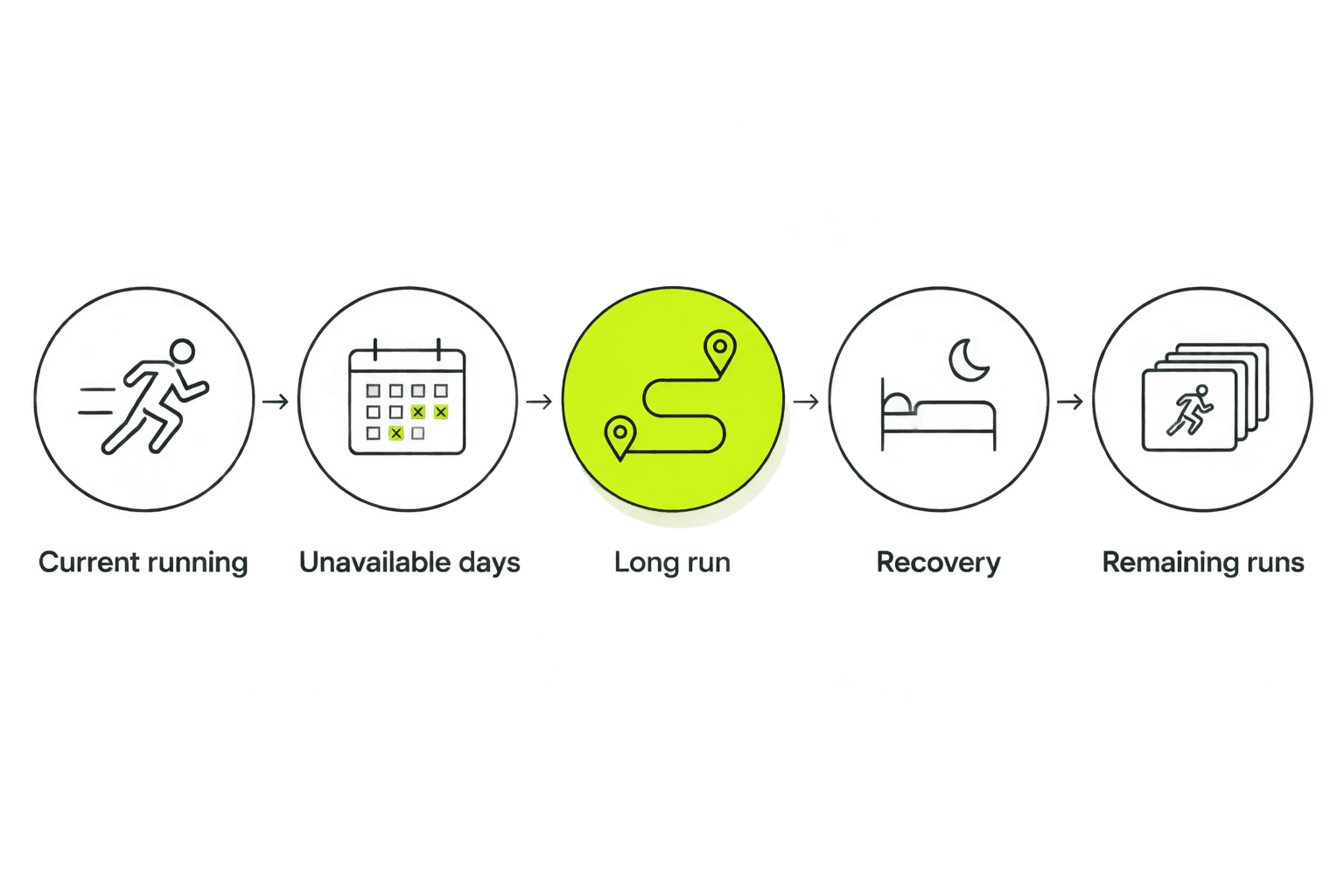
Use this sequence: record your current routine, block unavailable time, place the longest run, protect recovery, and add the remaining sessions. Review the whole week before committing.
Start with your current running
Write down what you actually completed recently, including walking breaks and sessions that felt too hard. Do not use your busiest training week as your normal baseline.
If you currently run on 3 days each week, entering 5 available days does not mean you should immediately run on all 5. Availability describes your calendar. Readiness describes the training you can currently handle.
Include other exercise in this review. A demanding strength session or a physically tiring workday belongs in the picture, even though neither appears as a run.
Mark unavailable days first
Block shifts, caregiving, travel, and commitments that regularly push training aside. Be honest about mornings you never use and evenings that routinely disappear.
Then record usable time, not just a yes-or-no answer. For example, a hypothetical Tuesday with 30 minutes free is different from a Sunday with 90 minutes free. Those are calendar examples, not recommended workout lengths.
Ask a practical question: does that window include getting ready and finishing, or only the time spent running? A slot that works on paper can still leave you rushing every week.
Place the long run
For a race-focused plan, identify the day with enough room for the scheduled long run and the rest of your life. Weekend availability is useful only if your weekends are genuinely open.
A weekday long run is a valid scheduling choice when your work pattern supports it. Do not choose Sunday simply because a printed plan uses Sunday.
For your 2026 race build, check recurring conflicts now. A regular family commitment matters more than an unusually quiet weekend when you first set up the plan.
Protect recovery
Look at what comes before and after the longest or most demanding run. Avoid moving sessions independently when that would bunch demanding training together.
Recovery also depends on what happens outside running. If a late shift leaves you tired, moving the same workout to an early morning does not solve the underlying problem.
Add remaining runs
Place the other sessions in the remaining workable slots. Keep the purpose of each session intact rather than turning every short opening into a hard workout.
Finally, read the calendar as a whole. If completing it requires perfect sleep, no delays, and no changes at work, revise it before starting.
Three running days: Best for a schedule with limited openings
A 3-day example could use Tuesday, Thursday, and Sunday. That leaves gaps between runs and gives Sunday the largest calendar window, if Sunday is actually your most open day.
Best for: runners whose current routine and available time support three running days. The benefit is a simpler calendar; the limitation is fewer places to move a session when something changes.
Do not respond by squeezing a larger plan into fewer sessions. A first-marathon goal needs an assessment of your starting point and preparation time, not just a convenient weekly layout.
Four running days: Best for an established four-day routine
A 4-day example could use Monday, Wednesday, Friday, and Sunday. This creates more running slots, but it also includes consecutive running days when the weekly pattern repeats from Sunday to Monday.
Best for: runners already managing four days comfortably whose plan supports that pattern. More slots offer scheduling choices; they also require attention to the sessions placed next to each other.
Do not judge a schedule only from Monday through Sunday. Check the join between weeks, especially after the longest run.
Five running days: Best for runners already handling that frequency
A 5-day example could use Monday, Tuesday, Thursday, Friday, and Sunday. This illustrates how quickly consecutive running days become part of the calendar.
Best for: runners already accustomed to five running days when that frequency fits their plan. The advantage is more room to distribute training; the drawback is less open space for recovery and schedule changes.
Five days is not an upgrade you earn by being motivated. Choose it because your recent training and available recovery support it, not because the app lets you select it.
| Example schedule | Best for | Main benefit | Main limitation |
|---|---|---|---|
| Three days: Tuesday, Thursday, Sunday | Limited openings and an appropriate current routine | Simple calendar with gaps between runs | Fewer alternative slots after a conflict |
| Four days: Monday, Wednesday, Friday, Sunday | An established four-day routine | More places to distribute sessions | Consecutive days across the weekly boundary |
| Five days: Monday, Tuesday, Thursday, Friday, Sunday | Runners already handling this frequency | More training slots | Less unallocated time |
These are calendar illustrations, not interchangeable training programs. They do not establish the right distance, effort, or preparation period for your race.
Why your training days vary
The right arrangement depends on more than the race distance. Use these factors to decide whether a proposed week fits:
- Current ability: Start from completed training, not an old personal best or a future target.
- Race goal: A first 5K and a first marathon require different preparation; the same open calendar does not make their plans equivalent.
- Available time: Record realistic windows, including preparation and the commitments around each run.
- Recovery: Account for how you feel between sessions, not only whether a day is technically free.
- Other demands: Include strength training, tiring work, travel, and disrupted sleep when reviewing the week.
- Schedule stability: Distinguish dependable slots from days that change with every shift roster.
If your 2026 work schedule changes regularly, avoid treating your first weekly layout as permanent. Keep the purpose of the training in view while reassessing where sessions belong.
What should you do when a training day changes?
Revise the remaining week instead of automatically moving a missed run to tomorrow. First check which sessions surround the new slot and whether the move crowds recovery.
Use plain descriptions when reviewing the problem:
- Can't make it: Your available time changed. Reassess the calendar rather than pretending the original slot still exists.
- Tired: Review the session alongside sleep, recent training, and other demands. A free hour does not settle the decision.
- Too hard: Check whether the plan reflects your current ability. Do not treat repeated difficulty as a scheduling problem alone.
- Something hurts: Stop rather than forcing the session into another day. Seek appropriate medical advice for pain that persists or concerns you.
For example, suppose a Sunday long run moves to Monday. The original Tuesday session now needs another look; moving Sunday alone leaves the rest of the plan based on an outdated sequence.
That is where an adaptive plan is relevant. Kiki is best for iPhone runners who want a personalized running plan that adapts around their goal, current ability, and available days. Its limitation for this decision is straightforward: it is an iPhone app, and useful planning still depends on an honest picture of your availability.
If that matches what you need, download Kiki for iPhone. Give the plan your actual week, not the week you wish you had.
Should you choose the same training days every week?
The same training days work well when your commitments repeat predictably. They reduce the number of scheduling decisions you need to make, but they should not become rules you follow despite a clear conflict.
If your shifts change, review the next week when your roster arrives. Identify the long-run window and recovery needs again rather than dragging every session onto a different date without checking the sequence.
Keep your 2026 calendar useful by distinguishing a routine from a requirement. Tuesday can be your usual run day without becoming a day you must run regardless of circumstances.
Can you move a long run to a weekday?
A weekday long run works when you have enough time for the planned session and appropriate recovery around it. The name of the day is not the deciding factor.
Check the practical details before making it your regular slot. A quiet morning followed by a demanding shift is a different arrangement from a morning with fewer commitments afterward.
Should you add a running day as your race gets closer?
Do not add a running day simply because race day is approaching. A date on the calendar does not show that you are ready for more frequent training.
Review how you are handling the current plan first. If the preparation no longer fits your available days, reassess the plan and goal rather than filling every remaining gap.
FAQ
How many days a week should my personalized running plan include?
Your personalized running plan should start from your current running routine and realistic availability. The three-, four-, and five-day calendars in this guide are examples, not prescriptions for every runner.
Can I train on different days each week?
You can use different training days when your schedule changes, but review the sequence of sessions as well as the dates. Preserve recovery rather than moving each run in isolation.
Does my long run have to be on Sunday?
Your long run does not have to be on Sunday. Choose a day with enough time for the planned session and check the training and commitments around it.
Should I make up a missed run on my rest day?
Do not automatically use a rest day to make up a missed run. Review the remaining week first so the change does not crowd demanding sessions together.
Can Kiki adapt a running plan around my available days?
Kiki builds and adapts personal running plans around your goal, current ability, and available days. Give the iPhone app realistic availability rather than selecting every day you hope to use.
What if something hurts on a scheduled running day?
Stop rather than forcing a run because it is on the calendar. Seek appropriate medical advice for pain that persists or concerns you; changing the day does not resolve the cause.
One last thing
Check the boundary between weeks. A calendar can show generous gaps from Monday through Sunday while placing Monday's session immediately after Sunday's long run.
Before you save your 2026 schedule, read it from the end of one week into the start of the next. The week boundary is a formatting choice, not a recovery break.


