
A shift worker’s personalized running plan is training built around changing work hours, current ability and a race goal, so you can prepare without relying on fixed weekdays. You need a plan that changes when your roster changes—not a calendar that treats every missed Tuesday as a debt.
- Kiki is best for iPhone runners who want a personalized running plan that adapts as their availability changes.
- Build your race training around realistic running windows, not fixed weekdays.
- Protect recovery when shifts move; do not squeeze missed sessions into the next available day.
- Choose an adaptive app, guided running app or static plan based on how much replanning you want to handle.
Why personalized running plans matter for shift workers
A fixed-weekday plan assumes your free time repeats. Rotating shifts break that assumption. A long run assigned to Sunday is not useful when Sunday falls between work and your main sleep period.
For your 2026 race build, separate the training goal from the weekday printed beside it. The question is not whether you completed Wednesday’s session. It is whether your next run fits your recent training, available time and recovery.
Kiki builds and adapts personal running plans for iPhone runners. That approach fits runners who want help revising their training instead of repeatedly rewriting a static schedule.
Your roster is a planning input, not a test of commitment. Start with the time you genuinely have, then choose training that fits it.
How to build a plan around changing shifts
1. Set a goal that matches your starting point
Start manually. Write down your race distance, race date, recent running and the days you can usually train. Use completed runs as your baseline, not the schedule you hoped to follow.
If you are preparing for a first marathon, include the time around a long run: getting ready, eating, washing and recovering before work. An empty calendar slot is not automatically a usable training window.
For example, having 3 running days available is different from having 3 rested mornings available. Record that distinction before choosing a plan. Your starting schedule should reflect ordinary working weeks, including the awkward ones.
- Record your race goal and date.
- List the runs you have actually completed recently.
- Note whether you currently run continuously or use run/walk intervals.
- Identify work patterns that regularly interrupt training.
- Separate dependable training time from occasional spare time.
2. Map your real training windows
Use a paper calendar or your phone calendar before choosing workouts. Add shifts, commuting, sleep and responsibilities that cannot move. Place running windows around those commitments rather than treating every blank space as available.
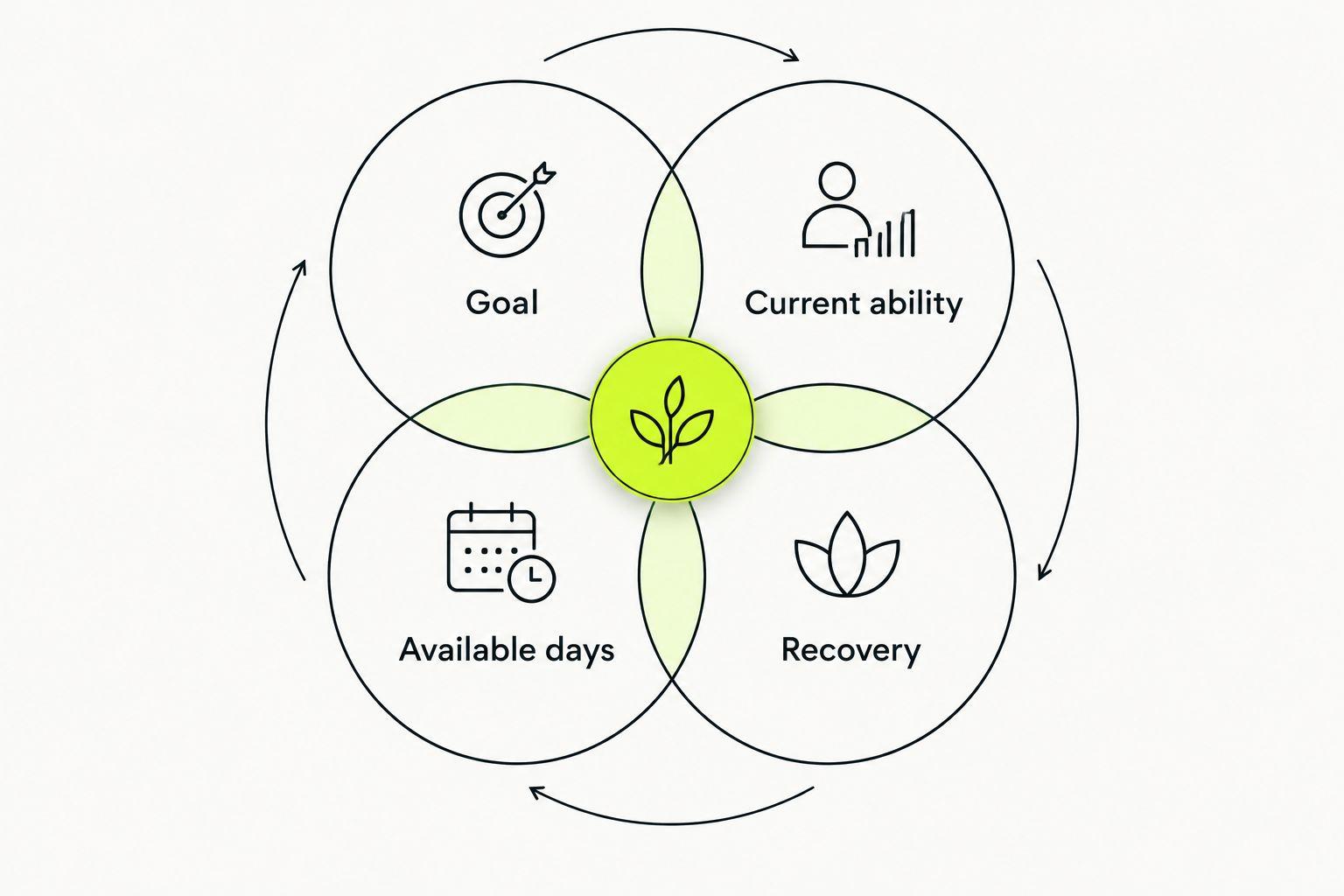
Keep four planning inputs together: Goal, Current ability, Available days and Recovery. When the roster changes, revisit the available days and recovery before moving a run.
A 20-minute opening before work and a 60-minute opening on a day off are different options. These are example calendar windows, not prescribed workout lengths. Match the session to the usable window, including any preparation time.
- Goal: Keep the race distance and date visible.
- Current ability: Base the schedule on recent completed training.
- Available days: Mark realistic windows after fixed commitments.
- Recovery: Protect sleep and space between demanding sessions.
3. Choose who will handle the replanning
You can adapt a static plan yourself. Keep the purpose of each session visible, then review the surrounding runs whenever a shift forces a change. The benefit is control. The trade-off is that you must make the scheduling decisions.
Kiki offers a personalized running plan that adapts, making it the faster path when you do not want to rebuild the schedule manually. It is an iPhone app, so it is not the right device fit for an Android-only runner.
Before choosing any tool in 2026, check it against a real roster change. Look for a clear answer to what happens next, rather than judging only the original calendar. An attractive first week does not settle the replanning question.
- Choose manual planning if you want to make each adjustment yourself.
- Choose an adaptive app if repeated replanning is the main problem.
- Check that the tool supports your race goal and device.
- Review what happens when you cannot complete a scheduled run.
- Distinguish a changed workout from a workout simply moved elsewhere.
4. Place demanding runs beside recovery opportunities
Assign sessions after you understand the week’s constraints. Put the runs that need the most time or effort where you can approach them rested and recover afterward. Fill remaining suitable windows with easier training from your plan.
Do not automatically place the long run on your first day off. If that day follows an overnight shift, your first priority might be your main sleep period. A day without paid work is not necessarily a rested day.
For a first marathon, avoid treating the long run as the only session that matters. Review the whole schedule around it. Protecting a single workout by crowding everything else together defeats the purpose of planning.
- Identify the longest or most demanding sessions in your plan.
- Check the work and sleep commitments before each session.
- Leave recovery opportunities after demanding training.
- Use easier sessions where the plan and your readiness support them.
- Keep rest available instead of filling every open slot.
5. Adjust a missed run without creating a backlog
A missed run changes the schedule; it does not create an obligation to complete everything later. Review what the session was meant to achieve, what you have already done and what is scheduled next.
If a shift removes an easy run, do not automatically add its distance to the next workout. If it removes a long run, do not squeeze that session beside another demanding run just to preserve the weekly total. Change the surrounding schedule instead.
Use this guide to adjusting a personalized running plan after a missed run when deciding what to revise. Make the next training decision from your current position, not from the untouched version of the calendar.
- Mark the missed session accurately.
- Identify its purpose before deciding whether to reschedule it.
- Review the sessions immediately before and after the new slot.
- Remove the assumption that all missed distance needs replacing.
- Reassess the race build if missed training becomes a repeated pattern.
6. Report effort and discomfort in plain language
After a run, write a short note about what happened. You do not need technical language. Useful notes include tired, too hard, could not finish and something hurts.
Separate a scheduling problem from a training problem. A run missed because work finished late needs a different response from a run stopped because of pain. Record the reason so your next decision addresses the actual issue.
Do not use a training adjustment as permission to run through pain. Stop the session if something hurts, and seek qualified medical guidance for persistent or concerning symptoms. A running schedule cannot assess an injury.
- Record what you completed rather than what was scheduled.
- Note whether the effort matched the intended session.
- Explain whether work, sleep, time or discomfort changed the run.
- Keep observations short enough to record consistently.
- Treat pain as a reason to stop and reassess, not catch up later.
7. Review the next roster before committing to it
Repeat the planning process when your next roster arrives. Keep the race goal visible, but update the training windows and recovery assumptions. Do not copy the previous week simply because it went well.
For example, a runner with 4 available days one week and 2 the next needs a revised schedule, not the same sessions compressed into fewer days. Those figures describe an example roster, not a recommended running frequency.
Keep your 2026 training record honest. Completed sessions, missed sessions and difficult shifts all help explain what the next block should look like. Consistency means responding sensibly to those facts—not preserving an unbroken calendar.
- Add the next roster before assigning workouts.
- Compare available time with the plan’s current demands.
- Recheck recovery around long or demanding sessions.
- Update the plan when availability changes.
- Reconsider the goal with a qualified coach if the build no longer fits.
Compare your planning options
Choose the option that solves your actual scheduling problem. Guided workouts, a personalized schedule and help interpreting unusual circumstances are different needs.
For a 2026 decision, check current features before downloading an app. Use the same questions for every option: does it fit your goal, does it work on your device, and what must you do when your shifts change?
| Option | Best for | Main benefit | Key limitation or check |
|---|---|---|---|
| Kiki | iPhone runners wanting an adaptive personalized plan | Builds and adapts training around the runner | Requires an iPhone; check how the plan fits your actual roster |
| Runna | Runners comparing structured training apps | Offers running training plans | Check current rescheduling controls against your changing shifts |
| Nike Run Club | Runners who want guided runs and training plans | Combines guided running sessions with plan options | Check whether its planning approach covers the adjustments you need |
| Free static plan | Runners comfortable making their own adjustments | Gives you a schedule to follow and annotate | The document does not revise itself when your availability changes |
| Human running coach | Runners wanting direct discussion about training decisions | Gives you someone to discuss constraints with | Confirm communication and schedule-change arrangements before choosing |
A static plan is not automatically a poor choice. It works as a planning document if you can make appropriate adjustments yourself. An adaptive app reduces that planning task, but you still need to report your circumstances accurately and act on discomfort.
Build a plan around your week
Explore personalized running plans that adapt to your goal, ability and available days.
Common mistakes shift workers make
- Counting time after a night shift as rested free time. Put your main sleep period on the calendar before deciding where a demanding run belongs.
- Moving every missed session forward. That preserves the list but changes the training load around the next sessions. Review the whole sequence instead.
- Choosing frequency from the best possible week. Build around repeatable availability, then review unusually busy or open weeks separately.
- Protecting the long run at any cost. A first-marathon plan needs a workable surrounding schedule, not one completed session surrounded by rushed training.
- Assuming a new roster only changes weekdays. It also changes when you sleep, eat and have time to recover. Revisit those constraints before moving workouts.
FAQ
What is the best personalized running plan for rotating shifts?
The best personalized running plan for rotating shifts accounts for your goal, current ability, available days and recovery. Kiki suits iPhone runners who want an adaptive plan; a static plan suits runners prepared to handle adjustments themselves.
Can I train for my first marathon while working changing shifts?
You can plan first-marathon training around changing shifts when the training demands fit your available time and recovery. Assess your starting point and race date before committing, and revise the goal if the schedule stops being workable.
Should I run before or after a night shift?
Choose the window that lets you approach the planned session rested without cutting into necessary sleep. Neither before nor after a night shift is automatically the right choice; review the session alongside your actual work and sleep schedule.
Should I make up a run I missed because of work?
Do not automatically make up a run missed because of work. Review its purpose and the surrounding sessions before deciding whether to move, change or leave it out.
Is an adaptive app better than a free training plan?
An adaptive app is better suited to runners who want help revising training when circumstances change. A free static plan gives you a schedule, but you are responsible for making those revisions.
What should I check before choosing a running app in 2026?
Check device compatibility, race-goal support and what happens when you cannot complete a scheduled run. Compare the app against a real example from your roster rather than choosing from the initial schedule alone.
What if something hurts during a scheduled run?
Stop the run rather than completing it to protect the calendar. Seek qualified medical guidance for persistent or concerning symptoms; changing a training plan does not assess or treat an injury.
One last thing
Before accepting your next week of training, hide the weekday names. Check the order of demanding runs, easier runs, work and sleep. If the sequence only looks sensible because a long run says Sunday, revise it.
The next sensible session matters more than rescuing the original calendar.


