
An AI running coach can revise your training schedule when your available days change, including where runs sit in the week and how the remaining sessions fit together. The useful change is not simply moving every missed workout forward: it is rebuilding a manageable week around your goal, current ability and actual availability, with features varying by app.
- An AI running coach should adjust the remaining training plan, not just move a missed workout.
- Kiki builds and adapts personal running plans for iPhone users, from beginners to marathoners.
- Tell your coach what changed: available days, available time, tiredness or a session that felt too hard.
- A first-marathon training schedule needs room for recovery, not a backlog of missed runs.
Why this matters
A training calendar describes what you intend to do. Your completed runs describe what actually happened. When work, family or travel changes the week, those two versions need to meet again.
For your 2026 race preparation, judge an app by the revised week it gives you—not by how quickly it fills empty calendar slots. Start with how to adjust a personalized running plan after a missed run if the disruption has already happened.
A missed run is information for the next decision, not a debt you must repay. That distinction matters whether you are building toward a 5K or preparing for your first marathon.
What can an AI running coach change when your schedule changes?
An adaptive running plan can change the placement and shape of future training. Check which changes your chosen app actually supports; the term alone does not establish its features.
| Plan element | Useful adjustment | What to check afterward |
|---|---|---|
| Running days | Rebuild the week around your available days | The plan no longer expects runs on unavailable days |
| Session order | Reconsider where demanding and easier sessions sit | A moved workout has not crowded another demanding session |
| Session duration | Fit training into the time you can actually give it | The workout fits your window, including its preparation and finish |
| Missed sessions | Decide what to retain, change or leave behind | Unfinished runs have not become a backlog |
| Longer-term progression | Reconsider the route toward your race goal | Future weeks reflect what you completed |
These are evaluation criteria, not a promise that every app makes every adjustment automatically. In 2026, ask whether an app changes the training itself or only lets you drag a workout to another date.
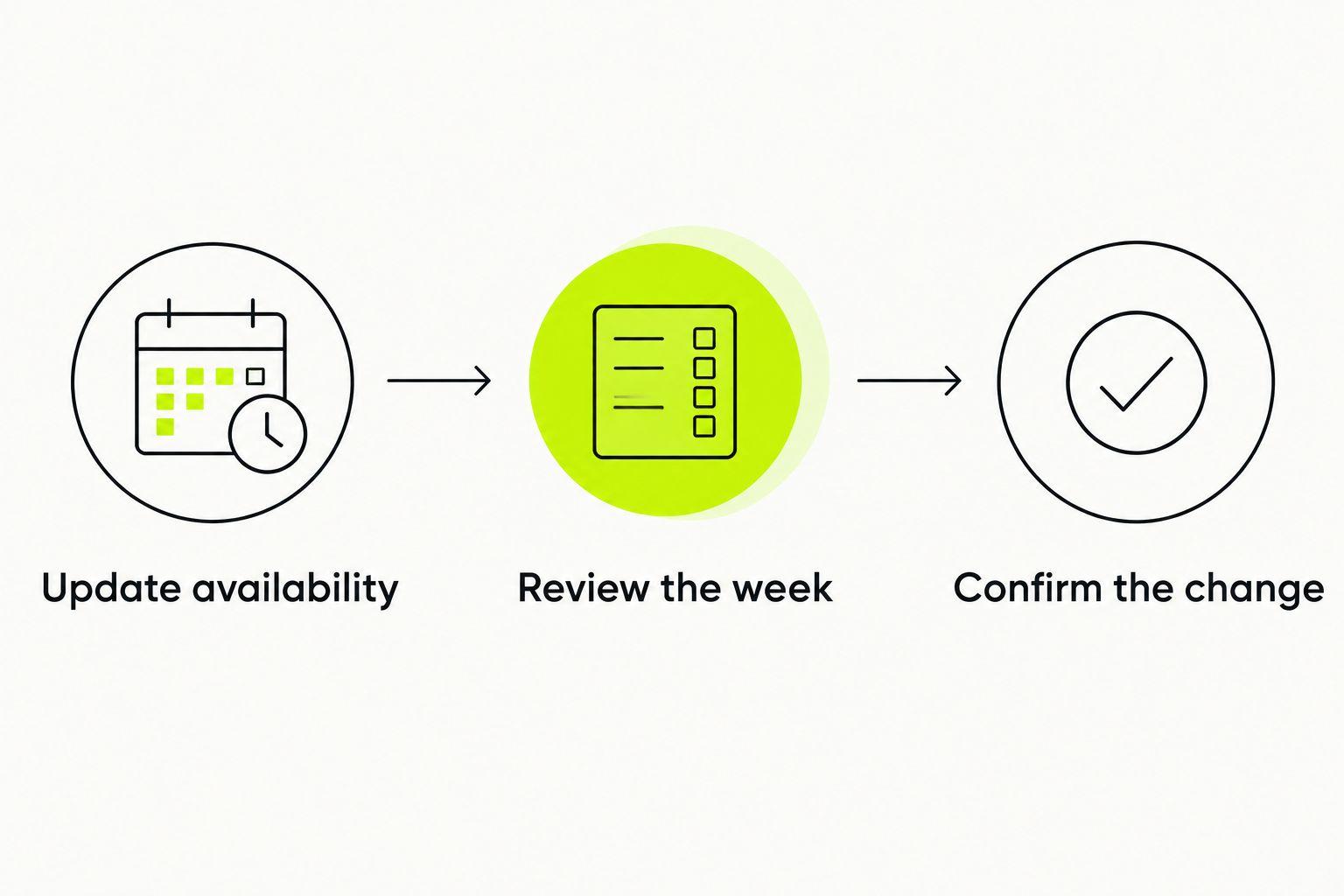
Update availability
Tell the coach which days are no longer possible and what remains available. Be specific: changing from 4 running days to 3 is different from keeping the same days but losing time on one evening.
A hypothetical 30-minute window means the whole session must fit inside 30 minutes. It does not mean squeezing a longer workout into that window by running harder.
Review the week
Look beyond the moved session. Check what now comes before and after it, especially if the change affects a demanding workout or a long run.
The revised calendar should make sense as a sequence. An empty slot is not, by itself, a reason to put a hard session there.
Confirm the change
Read the updated session before you start. Check its purpose, duration and effort, rather than assuming the old instructions still apply.
If the revision does not match your real availability, correct the information. A plan cannot account for a constraint you have not supplied.
When one run moves, check the surrounding sessions
A one-off clash does not necessarily require a new race goal. It does require checking whether the proposed replacement day makes sense.
Suppose your planned run falls on an evening you can no longer use. You have another opening later in the week. Before moving the session, look at the effort already planned around that opening and whether you will have time to recover.
Use this short check:
- Purpose: Was the missed session easy running, a demanding workout or a long run?
- Space: Does the new position crowd another demanding session?
- Time: Can you complete the revised session without rushing?
- Readiness: Are you rested enough to do what the session asks?
Move the session only after checking the week around it. Keeping the original workout is not more important than making the revised schedule workable.
Do not turn the next easy run into an unplanned hard effort to compensate. That changes the session's purpose without resolving the scheduling problem.
When you lose a regular running day, rebuild the week
A lasting change needs a different response from a single missed evening. If your availability drops from 4 running days to 3, update the recurring schedule rather than repeating the same correction every week.
Explain whether the change is temporary or ongoing. A short work trip and a new shift pattern create different planning problems, even when both remove the same weekday.
Do not assume the old weekly running belongs inside fewer sessions. Review what fits your current ability and time, then reconsider the progression toward your goal.
For a first marathon, this also means being honest about longer training windows. If the longer run no longer has a workable place, moving shorter sessions will not solve the entire problem. Revisit the schedule and race expectations together.
When a run feels too hard, change more than the date
Schedule feedback and training feedback are different. “I can't make it” describes availability. “That felt too hard” describes the session you experienced.
Give the coach both when both are true. A busy week can coincide with tiredness, and moving the original workout does not address that second issue.
Useful feedback sounds like this:
- “I finished, but the easy effort felt hard.”
- “I stopped early because I ran out of time.”
- “I have less time this week and feel tired.”
- “Something hurts when I run.”
These are example messages, not app commands or promises about a particular interface. Use whatever feedback method your app provides.
Pain is not simply a scheduling problem. Stop the session if something hurts rather than using a revised calendar as permission to continue; seek qualified medical advice for concerning or persistent symptoms.
Why running-plan adjustments vary
The right revision depends on the situation you describe. These are the main details to supply when asking for a change:
- Your goal: Preparing to finish a first 5K is a different planning task from preparing for a marathon.
- Your current ability: Recent completed training gives context that a goal time alone cannot provide.
- Your available days: Name the days you can use instead of asking the app to make the week less busy.
- Your available time: A free morning and a short lunch break are not interchangeable training windows.
- Your feedback: Tiredness, a workout that felt too hard and pain require different responses.
- Your race date: A fixed event date is a constraint, not extra training time.
For a 2026 race, enter the actual event date and keep your availability current. Do not leave an outdated schedule in place and expect the plan to infer your new routine.
You do not need a long explanation. You need accurate constraints. “Tuesday is unavailable; Thursday has a short window; the weekend is unchanged” gives a coach a clearer problem to solve than “this week is difficult.”
Which planning approach fits a changing schedule?
An adaptive app and a static training plan ask different things of you. Choose based on who will make the revisions and how much guidance you need.
| Approach | Best for | Main advantage | Main limitation |
|---|---|---|---|
| Adaptive running app | Runners who want their personal plan revised as circumstances change | Can connect schedule changes with future training | Supported adjustments and feedback methods differ by app |
| Static training plan | Runners with predictable weeks who are comfortable making their own revisions | Gives you a fixed outline to follow | Does not rewrite itself when your circumstances change |
An adaptive app still needs accurate information. A static plan still needs judgment. Neither approach removes the need to stop when something hurts or reconsider a schedule that no longer fits.
When comparing apps in 2026, ask a concrete question: what happens after you report that you cannot run on a planned day? Look for an explanation of the revised training, not just a claim of personalization.
Where Kiki fits
Kiki is best for iPhone runners who want a personal running plan that adapts around their goal, current ability and available days. Kiki builds and adapts plans for runners from beginners to marathoners.
That makes Kiki relevant when you want an adaptive running coach rather than a fixed calendar. The platform constraint matters: Kiki is an iPhone app, so check the device fit before choosing it.
You can explore Kiki and download it for iPhone. Judge the revised plan against your real week, especially when preparing for a first marathon.
Should I make up a missed run tomorrow?
Do not automatically make up a missed run tomorrow. First check the session's purpose, your readiness and what tomorrow already contains.
If rescheduling creates an awkward sequence, reassess the week rather than preserving every workout. Completing an old instruction is not the same as making a good training decision today.
Can I keep the same race goal with fewer running days?
Fewer running days require a review of the plan, not an automatic promise about your race goal. Your recent training, remaining preparation time and available sessions all matter.
For a first marathon, separate the event you hope to run from the training you can actually complete. If those no longer fit together, reconsider the goal instead of forcing the original workload into fewer days.
What should I tell the app after a disrupted week?
Tell the app what you completed and what you can do next. Include shortened runs, missed sessions, changed availability and relevant effort feedback.
Do not describe a partially completed week as fully completed to keep the calendar tidy. Future recommendations need the training you actually did, not the version you intended.
FAQ
Can an AI running coach move my long run to a different day?
An AI running coach can support schedule changes, but specific controls differ by app. Check the revised surrounding sessions rather than assuming that any open day is suitable for a long run.
What should I do if I only have 30 minutes to run?
Report that you have 30 minutes for the whole session. Check that the revised workout fits that window rather than running harder to squeeze in the original session.
Is an adaptive running app better than a static plan for changing shifts?
An adaptive running app is the better fit when you want help revising a personal plan as your shifts change. A static plan leaves those revisions to you.
Can Kiki help me train for my first marathon?
Kiki builds and adapts personal running plans for runners from beginners to marathoners. It is an iPhone app, and your goal, current ability and available days should guide the plan.
Should I put two missed workouts on the same day?
Do not combine missed workouts simply to clear the calendar. Review the remaining week and decide what training still fits rather than treating every missed session as compulsory.
What if my revised running plan still feels too hard?
Report that the revised plan feels too hard and describe what happened. Do not mark an unfinished session as completed, and stop if something hurts.
One last thing
Before your next schedule change, write down your non-negotiable constraints. Include unavailable days, genuinely short windows and whether the change will last beyond this week.
For the rest of your 2026 training, use one rule: approve the new week, not just the moved run. A calendar adjustment earns its place only when the surrounding training still fits your life.


