
Best overall for adaptive planning: Kiki. Best for structured interval workouts: Runna. Best for guided speed sessions: Nike Run Club. If you want a running app with intervals, choose between a plan that changes with your week, a prescribed workout, and coaching you can hear while running.
- Kiki is best for runners who want personal training plans that adapt around their goal, ability, and available days.
- Runna is the running app with intervals to consider for prescribed sessions within a training plan.
- Nike Run Club suits runners who prefer guided speed runs over managing every repetition themselves.
- A static training plan suits independent runners, but it does not adjust itself when your week changes.
Why this matters
An interval timer and a training plan solve different problems. A timer tells you when to change effort. A plan helps you decide what belongs in the session and how that session fits around your other runs.
For your 2026 race preparation, start with that distinction. A first-time marathon runner balancing work and long runs needs different help from someone who wants spoken instructions for a short speed session. Neither needs an app chosen only because it has the longest feature list.
Choose the coaching job first. Then check the interval controls. A good plan without the cues you need can be awkward to follow. A good timer cannot decide whether today's hard workout still makes sense.
What makes the best running app with intervals?
Use these criteria before you compare names:
- Workout structure: Can you understand the warm-up, harder efforts, recovery periods, and finish before you start?
- Useful cues: Check whether the workout gives the audio, vibration, or visual prompts you need on your actual device.
- Training fit: The session should serve your current ability and race goal, not just offer something difficult.
- Schedule flexibility: Distinguish moving a workout yourself from having the training plan adapt.
- Simple execution: You should know what to do next without studying your phone during a hard effort.
- Clear boundaries: Training guidance should not turn pain or unusual symptoms into a challenge to push through.
For a 2026 shortlist, check these against the current app rather than an old review. Device support and workout controls deserve a direct check before you commit to using an app for race preparation.
Interval training options at a glance
| Option | Best for | Standout feature | Key limitation |
|---|---|---|---|
| Kiki | Adapting a personal race-training plan | Personal plans built around your goal, ability, and available days | iPhone app; check specific interval controls before choosing it as a timer |
| Runna | Following prescribed interval workouts | Structured running plans with interval sessions | You still need to check that the plan and workout setup fit your routine |
| Nike Run Club | Listening to guided speed sessions | Audio-guided running workouts | A guided session is not the same thing as an automatically adapting race plan |
| Static training plan | Managing your own weekly training | A written schedule you can inspect in advance | No automatic adjustments or built-in interval cues |
The static plan is a comparison point, not an app recommendation. It belongs here because you might need better workout organization rather than another download.
1. Kiki: best for adaptive race-training plans
Kiki builds and adapts personal running plans for iPhone users, from beginners to marathoners. Its strongest fit is the runner who needs training to respond to real life: a changed schedule, a session that felt too hard, or a goal that needs a plan rather than isolated workouts.
Kiki is best for runners who want an adaptive training plan around their goal, current ability, and available days. That matters when interval work is only one part of preparing for a first marathon, a 5K, or a 10K.
Picture a week when your planned training days change. The useful question is not just whether a timer can count the repetitions. It is what should happen to the rest of your training. An adaptive plan addresses that broader problem.
Kiki pros:
- Builds personal plans rather than leaving you to assemble unrelated sessions.
- Adapts training instead of treating the original schedule as fixed.
- Serves beginners through marathon runners.
Kiki cons:
- The app is for iPhone, so it is not the fit for an Android-only runner.
- Adaptive planning alone does not establish whether it has your required custom timer, cue, or watch controls. Check those separately.
Best for: Race-focused iPhone runners who need the whole training week to make sense.
Verdict: Skip if you only need a standalone interval timer; choose it when adaptive planning is the priority.
2. Runna: best for prescribed interval workouts
Runna offers structured running training plans that include interval sessions. It fits runners who want a workout to follow within a wider plan, rather than selecting a different session whenever they feel like running hard.
Before choosing Runna in 2026, look closely at how a workout reaches the device you use while running. A clear session on a phone and a comfortable experience on your preferred watch are separate checks. Do not assume a setup works just because another runner uses it.
Runna pros:
- Places interval training inside a structured running plan.
- Gives runners prescribed sessions rather than requiring them to design every workout.
- Provides a clear option for comparing plan-led training with a library of guided runs.
Runna cons:
- A prescribed session still needs to match your current fitness and available training time.
- Device compatibility and workout controls need checking against your own setup; they should not be assumed from the app name.
Best for: Runners who want structured interval sessions as part of a training plan.
Check a sample workout before you decide. You should understand the effort, recovery, and overall purpose without having to decode the instructions. If the session looks impressive but leaves you unsure how to run it, resolve that before starting.
Verdict: Skip if you only want occasional guided runs; choose Runna for prescribed training sessions.
3. Nike Run Club: best for guided speed sessions
Nike Run Club includes audio-guided runs, including speed workouts. Its clear use case is the runner who wants someone to talk them through a session instead of repeatedly checking written instructions.
That guidance serves a different purpose from automatic plan adjustment. If your main problem is knowing what to do during a speed session, guided audio is relevant. If your main problem is rebuilding a race-training week after a missed run, assess that need separately.
Nike Run Club pros:
- Offers audio-guided running sessions.
- Includes speed workouts, not just steady runs.
- Suits runners who prefer listening to coaching during a workout.
Nike Run Club cons:
- A selected guided workout does not, by itself, decide how the rest of your week should change.
- A guided session and a custom interval builder are different tools. Check which one your workout requires.
Best for: Runners who want spoken guidance through a speed session.
For your 2026 training, choose the session for its purpose, not its title. Read the description first. Make sure the effort and session length fit the day you actually have.
Verdict: Skip if custom interval programming is your deciding requirement; choose Nike Run Club for guided speed running.
4. Static training plan: best for independent runners
A static training plan gives you a written schedule to follow. You can see the sequence of runs without asking an app to choose the next session.
It works best when you understand the instructions and can make sensible schedule decisions yourself. It does not adapt automatically, and the document itself cannot tell you when an interval ends.
Static training plan pros:
- Makes the planned training visible in advance.
- Lets you read and understand a workout before leaving home.
- Does not require an app to select your session.
Static training plan cons:
- Leaves missed-run and schedule adjustments to you.
- Requires a separate timer or another way to follow timed repetitions.
Best for: Runners comfortable managing their own schedule and workout execution.
The real trade-off is responsibility. A written plan can tell you what was intended. You must decide what to do when the week no longer resembles that plan.
Verdict: Skip if changing the schedule is your main difficulty; choose a static plan if you want control and can manage the adjustments.
Match the tool to the problem
Your choice gets simpler when you name what is going wrong. Use these four labels:
- Changing schedule: Prioritize a plan that adapts around the days you can run.
- Prescribed workouts: Prioritize clear sessions within a training plan.
- Spoken coaching: Prioritize guided audio during the run.
- Independent planning: Use a written plan if you can manage changes yourself.
These are different jobs. You do not need the most complicated app. You need the option that solves your recurring problem without creating another one.
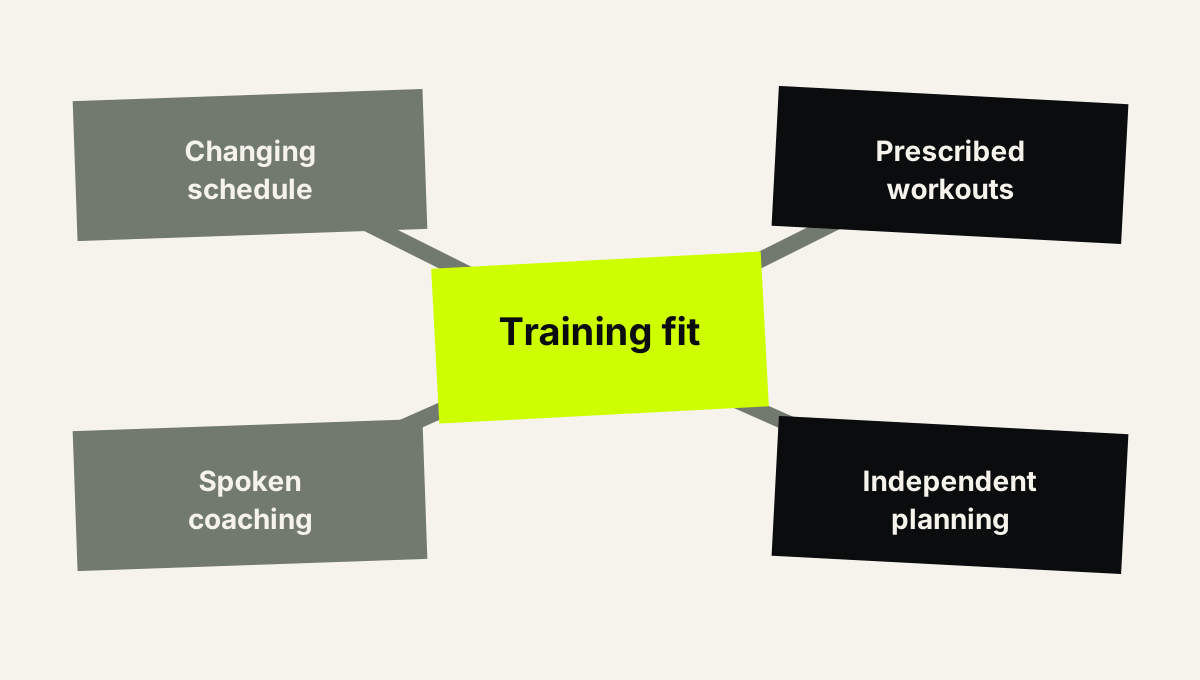
Choose the tool for the problem you need it to solve.
Training fit includes your current ability, not just the race distance. Being able to enter an ambitious session does not make that session suitable. If you are new to running, start by understanding easy running and run-walk structure before chasing speed.
Check an interval session before you start
Use a simple example to inspect an app: 1 minute of running followed by 2 minutes of walking. This is an example for checking the controls, not a workout prescription.
Can you distinguish the running segment from the recovery? Can you hear or feel the transition? Can you pause safely if you reach a crossing? Those questions matter more than a polished workout screen.
Then inspect a different example: 3 minutes at a harder effort followed by 2 minutes easy. Check whether the instructions explain effort clearly. A duration tells you when a segment ends; it does not tell you how hard you should run.
Before any unfamiliar session:
- Read the full workout, including the warm-up and finish.
- Check that the route lets you follow it without rushing through crossings.
- Confirm the cues work with the device you will carry.
- Know how to stop or pause without handling the phone while running hard.
If something hurts, stop the workout rather than trying to satisfy the app. Seek appropriate medical advice for pain or symptoms that concern you.
How these options were ranked
This 2026 ranking separates adaptive planning, prescribed sessions, guided audio, and independent scheduling. The order reflects those distinct needs, using workout structure, training fit, flexibility, and execution as the criteria.
It is not a claim that every app has identical interval controls. No watch compatibility, custom repetition feature, or automatic adjustment should be inferred unless the option explicitly provides it. Your final check belongs on the current app and your own device.
Which running app with intervals should you choose?
Start with the whole training week. If you are preparing for a race on iPhone and need your plan to adapt, consider Kiki. Check the interval execution details separately before relying on it for a particular session.
Choose Runna when prescribed interval workouts are the main attraction. Choose Nike Run Club when you want guided speed sessions. Keep a static plan if you already know how to manage training changes and only need a schedule.
Do not download several apps to avoid making that decision. Pick the coaching job you need done, check a representative workout, and use the option that makes the instructions clear.
Build your personal running plan
See how a plan can fit your goal, current ability, and available running days.
FAQ
What's the best running app with intervals in 2026?
Runna is the pick here for prescribed interval workouts within a training plan. Choose Nike Run Club for guided speed sessions, or Kiki when adaptive race-training planning is the main need.
Is an interval timer the same as a running coach app?
No. An interval timer manages changes between work and recovery, while a coaching app can organize training around a goal. Check the specific timing and planning features separately.
Is Runna better than Nike Run Club for intervals?
Runna is the closer fit for prescribed interval sessions within a structured plan. Nike Run Club fits runners who want audio-guided speed workouts. Choose according to how you want the session delivered.
Can beginners use a running app for run-walk intervals?
Yes, beginners can use an app to follow running and walking segments. Check that the workout matches your current ability and that transition cues are easy to follow.
Do I need a smartwatch for interval training?
No, interval training does not require a smartwatch. You need a safe way to follow the session and its transitions; check whether your chosen phone setup provides the cues you need.
What should I do if I miss an interval workout?
Do not automatically squeeze a missed hard session beside another demanding run. Review the rest of the week and use your plan's adjustment guidance rather than treating every missed workout as a debt.
Should my first marathon plan focus on intervals?
No, interval workouts should not be the sole basis for choosing a first-marathon plan. Look at how the whole schedule fits your current running, available days, and race goal.
One last thing
Before committing to an app for your next race, read one complete workout while standing still. Explain it back in plain words: what you do first, when you change effort, and how you finish. If you cannot explain it, clear up the instructions before you run.


