
Best overall for adaptive beginner training: Kiki. Best for a structured race plan: Runna. Best for guided audio runs: Nike Run Club. Best for a simple written schedule: a static beginner training plan. The best running app for beginners in 2026 matches your current ability, available days and next goal—not someone else's training week.
- Kiki is the best running app for beginners on iPhone who want a personalized plan that adapts.
- Choose Runna for personalized race training or Nike Run Club when guided audio runs matter most.
- Choose a static beginner training plan when you want a written schedule and can manage changes yourself.
- For a first marathon, choose around your current running, available days and race date—not the app's feature count.
Why this matters
Your first running plan has to fit an ordinary week. Work runs late. You miss a session. A workout feels too hard. A useful coaching setup helps you decide what happens next instead of leaving you to force the original schedule.
Start with the job you need done. Learning to run continuously, preparing for a first 5K and training for a first marathon are different goals. An app that makes today's run more engaging is not automatically the right choice for organizing your whole race build.
This 2026 guide separates those jobs. The ranking favors a clear match between the runner and the training approach, rather than treating every running app as interchangeable.
What makes the best running app for beginners?
Use these criteria before choosing. The right plan starts with the running you can do now.
- Current ability: Your starting point should reflect recent running, including walking breaks, rather than the pace you hope to reach.
- Race goal: Choose support for your actual target, whether that is running consistently, finishing a 10K or preparing for a marathon.
- Available days: A schedule should fit days you can usually protect, not an ideal week you rarely have.
- Plan changes: Understand what happens when you miss a run or find the training too hard. Automatic adjustment and manual editing are different things.
- Coaching format: Decide whether you need a changing schedule, spoken guidance during runs or a written plan to follow independently.
- Device fit: Check the current phone requirements before committing. A good recommendation is useless if it does not work on your device.
Do not confuse a crowded feature list with a clear next step. You should understand what your next run is for and how it fits the week. If you cannot explain that in plain language, look more closely at the plan before following it.
Beginner running options at a glance
| Option | Best for | Standout feature | Key limitation |
|---|---|---|---|
| Kiki | Beginners on iPhone who need an adapting plan | Personalized training built around the runner | The stated app platform is iPhone |
| Runna | Runners who want structured race preparation | Personalized training plans | A race plan still needs a realistic starting point and schedule |
| Nike Run Club | Beginners who want spoken guidance during runs | Audio Guided Runs | Guided audio alone does not establish whether a whole training plan fits you |
| Static beginner training plan | Runners who prefer a written schedule | A fixed outline you can review in advance | You must manage changes when your week or ability differs from the outline |
These are use-case rankings, not claims that one option beats every other option at every task. Check current app details in 2026 before choosing. In particular, confirm that the specific plan or coaching format you want is part of the option you select.
1. Kiki: best running app for an adapting beginner plan
Kiki is an iPhone running coach app that builds and adapts personal training plans. It serves runners from beginners to marathoners, making it relevant both when you are starting and when you are preparing for a race.
Kiki is best for beginner iPhone runners who want a personalized running plan that adapts. Choose this approach when your main problem is deciding how training should fit your goal, current ability and available days.
Where an adapting plan helps
Suppose you can usually run on Tuesday, Thursday and Sunday. That gives you 3 running days a week. Your plan should begin with that reality, rather than asking you to follow a schedule built around days you do not have.
Now suppose Thursday becomes impossible. The useful question is not how to squeeze every missed session into the weekend. It is what the remaining week should look like. That is the practical reason to choose an adapting plan rather than a fixed checklist.
Pros:
- Builds personal training plans rather than offering only a generic schedule.
- Adapts training instead of treating the original plan as permanent.
- Covers beginners through marathon runners.
- Matches runners who want planning guidance, not just a record of completed runs.
Cons:
- The stated platform is iPhone, so this recommendation does not cover Android users.
- No app observes everything about your day or how you feel; describe your starting point and changes accurately.
- Training guidance does not replace medical advice when something hurts.
Best for: A beginner preparing for a race who needs a plan that can change with real life.
Verdict: Buy into the adaptive approach if you use an iPhone and need help adjusting your training.
2. Runna: best running app for structured race preparation
Runna offers personalized running training plans. It belongs on the shortlist when you have a race goal and want your training organized around it.
Start with the event, then check the proposed commitment. A beginner choosing a first 10K plan needs a different starting point from a runner already training regularly for a marathon. The word personalized is not a reason to skip that check.
What to check before choosing
Look at the training week as a whole. Can you protect the suggested running days? Do you understand which sessions are easier and which ask for more effort? Does the starting workload reflect your recent running?
Also check how the current app handles the changes you expect to need. Do not assume that every personalized app responds to missed runs, fatigue or schedule edits in the same way. Confirm the behavior that matters to you in the current product.
Pros:
- Gives race-focused runners a personalized training option.
- Provides a structured alternative to assembling separate workouts yourself.
- Suits readers who want to choose a plan around a defined running goal.
Cons:
- Choosing a race plan does not make an unrealistic race date suitable.
- You still need to assess whether the proposed week fits your life.
- Personalization is not a substitute for understanding when to stop and seek medical advice.
Best for: A runner who wants structured preparation for a specific race and is ready to review the training commitment.
Verdict: Buy into Runna's structured approach when race preparation is your main priority.
3. Nike Run Club: best running app for guided audio runs
Nike Run Club offers Audio Guided Runs. That makes it a useful choice when you want spoken coaching during a run rather than relying only on written instructions beforehand.
The distinction matters. Some beginners know when they can run but want help settling into the session. Others need someone—or a training app—to organize the entire week. Those are separate needs.
Choose audio for the right reason
If you tend to start every run too hard, spoken guidance gives you something concrete to listen to during the session. Try a run that matches your current ability and judge whether the format helps you understand the effort being asked of you.
For race preparation, review the whole plan as well. Enjoying one guided run does not establish whether a schedule matches your experience, available days or target event. In 2026, choose the training structure first and the listening experience second when the race is your priority.
Pros:
- Offers spoken guidance during runs.
- Gives beginners an alternative to following written workout notes alone.
- Suits runners who find a coached audio format engaging.
Cons:
- Audio guidance is less useful if you prefer running without spoken instructions.
- A guided session does not, by itself, resolve your weekly scheduling needs.
- You still need to select training that matches your current ability.
Best for: A beginner whose main need is guidance and company during the run itself.
Verdict: Buy into Nike Run Club's audio approach if spoken coaching is what helps you get through a session.
4. Static training plan: best for a simple written schedule
A static beginner training plan gives you a fixed sequence of sessions. You can read ahead, put the runs in your calendar and follow the outline without using an adaptive coaching app.
This is an approach, not a recommendation for an unnamed product. Assess the actual plan before using it. Check its starting workload, goal and weekly commitment rather than choosing it because the headline says beginner.
Where a fixed plan works—and where it stops
A written schedule works best when you can follow its basic pattern and make sensible decisions when life interrupts. Its limitation is straightforward: the document does not change because you missed a run or found a session too hard.
For example, a plan might ask for a 30-minute session when your recent comfortable outings have lasted 20 minutes. Those are illustrative numbers, not a prescribed progression. The point is to notice the mismatch rather than treating a printed instruction as proof that you are ready.
Pros:
- Makes the full training outline easy to review.
- Works for readers who prefer a written schedule.
- Helps you compare the proposed week with your calendar before starting.
Cons:
- Does not adjust itself after a missed or difficult session.
- Leaves you responsible for deciding how to change the schedule.
- A generic beginner label does not guarantee a suitable starting point.
Best for: A self-directed beginner with a predictable week and a plan that matches current ability.
Verdict: Hold off if you need help adapting; choose a static plan only when you can manage changes yourself.
How to choose your beginner running setup
Use this sequence before downloading anything. It keeps the decision tied to your running rather than the longest feature list.
- Set your goal. Name the next job: start running, finish a 5K, prepare for a 10K or train for a first marathon.
- Check your baseline. Describe what you actually did recently, including walking breaks and sessions that felt too hard.
- Choose your days. Mark the days you can usually run. Include work and family commitments before adding training.
- Check the fit. Review the opening sessions and how the option handles changes. Reject a mismatch before it becomes your routine.
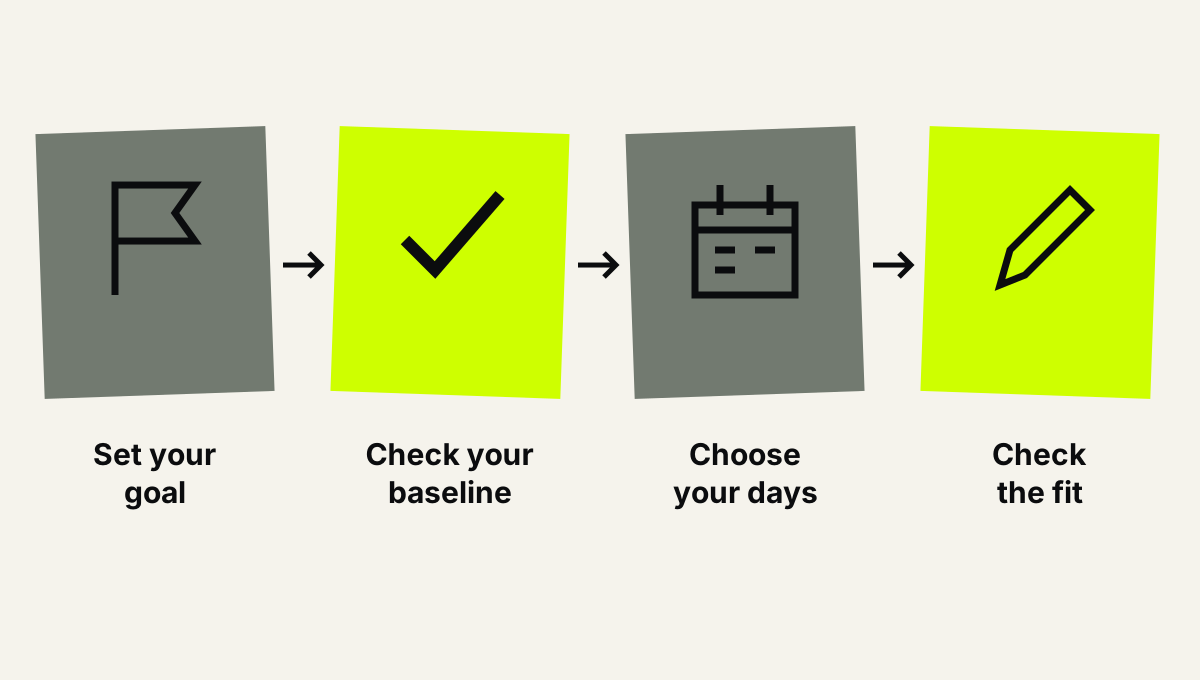
Choose the training fit before choosing the app.
For a first marathon, give the baseline check extra attention. The distance is 42.195 kilometers. An app can organize preparation, but selecting a marathon goal does not establish that your current running and available preparation time fit that goal.
Do not make a race deadline the reason you ignore a poor starting fit. Reconsider the plan or the event when the opening workload already exceeds what you can reasonably manage.
How the ranking works
The 2026 ranking uses the criteria above: current ability, race goal, available days, plan changes, coaching format and device fit. Each option owns a different job, so the order is a starting recommendation rather than a universal performance score.
Adaptive planning takes the default slot because this guide prioritizes beginners who need help organizing and changing training. Structured race preparation, audio coaching and a fixed written schedule remain valid choices when those match the reader's actual need.
Which running app should you choose?
Choose an adaptive plan if your main question is what to run next when life changes. Choose Runna if structured race preparation is the deciding factor. Choose Nike Run Club if you mainly want spoken guidance during runs.
Choose a static plan when you want a written outline and can take responsibility for adjustments. Do not add a coaching app simply because it has more features than your current setup needs.
For beginner iPhone runners who want personalized, adapting training, download Kiki for iPhone. Start with an honest account of your current running and the days you actually have.
Build a plan around your week
Explore personalized running training for iPhone, from starting out to preparing for a marathon.
FAQ
What's the best running app for beginners in 2026?
The best choice depends on the coaching job you need. Choose an adaptive plan for changing training, Runna for structured race preparation or Nike Run Club for guided audio runs.
Is Kiki suitable for someone training for a first marathon?
Kiki builds and adapts personal training plans for runners from beginners to marathoners. Your current ability, available days and race goal still need to form a realistic starting point.
Is Runna better than Nike Run Club for beginners?
Neither is better for every beginner. Runna belongs on the shortlist for personalized race training, while Nike Run Club is a clear option for runners who want Audio Guided Runs.
Can I start with a static training plan instead of an app?
Yes, if the plan matches your current ability and available days. A static plan leaves you responsible for changes when you miss a session or find the training too hard.
What should I check before choosing my first running app?
Check your goal, recent running, available days, device compatibility and how training changes are handled. Review the opening sessions before committing to the schedule.
What should I do if I miss a run?
Review the remaining week rather than automatically adding the missed session to another day. Use your coaching option's adjustment guidance, and do not assume every scheduled session must be squeezed into the calendar.
Can a running app tell me whether pain is an injury?
A running training app is not a substitute for medical assessment. Stop the session if something hurts and seek qualified medical advice about symptoms rather than asking a training schedule to diagnose them.
One last thing
Before your next run, explain its purpose in one plain sentence. If your answer is only that the app told you to do it, read the instructions again.
Your useful 2026 setup is the one that makes the next decision clearer: what to run, how it should feel and what to do when the week changes. Keep that standard. Skip features that do not help you meet it.


